
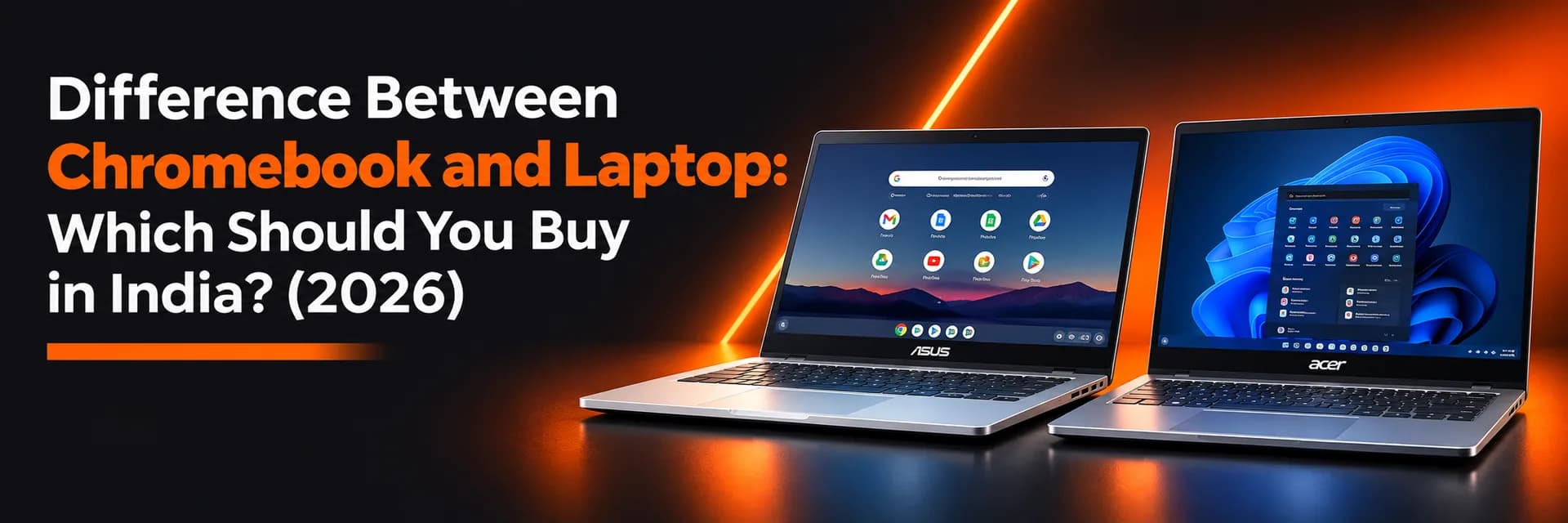
The main difference between a Chromebook and a laptop is the operating system: a Chromebook runs Google's ChromeOS and is built around the Chrome browser, web apps and Android apps, while a typical laptop runs Windows (or macOS) and installs full desktop programs. A Chromebook cannot run Windows .exe software. In return, it is usually cheaper, updates itself automatically and needs no separate antivirus, according to Google.
Key takeaways
- A Chromebook is a laptop that runs ChromeOS instead of Windows or macOS.
- Chromebooks run web apps, and on supported models Android apps from Google Play and Linux apps; they do not run Windows desktop programs.
- Microsoft Office works on a Chromebook only through the Microsoft 365 web apps in the browser.
- Chromebooks released in 2021 or later get 10 years of automatic updates from Google.
- In India in November 2026, a decent 8GB Chromebook costs around Rs 29,000-30,000, about the same as the cheapest Core i3 Windows laptops.
Chromebook vs laptop: comparison table
This table sums up the difference between a Chromebook and a Windows laptop at a glance.
Feature | Chromebook (ChromeOS) | Windows laptop |
|---|---|---|
Operating system | ChromeOS, built around the Chrome browser | Windows 11 |
Apps | Web apps; Android apps and Linux apps on supported models | Full desktop programs (.exe), plus web apps |
Microsoft Office | Web versions only (Word, Excel, PowerPoint in the browser) | Full desktop Office available |
Updates | Automatic; 10 years for models released from 2021 | Windows Update; support depends on Windows version |
Security | Verified Boot, sandboxing, read-only OS; Google says no third-party antivirus needed | Microsoft Defender built in; third-party antivirus optional |
Typical budget storage | 32-128GB eMMC, files sync to Google Drive | 256GB-512GB SSD |
Gaming | Android games and cloud gaming | Full PC games, depending on hardware |
Example price in India (Nov 2026) | ASUS Chromebook CM14: around Rs 29,000 | Acer Aspire 3 (Core i3): around Rs 30,000 |
What is a Chromebook?
A Chromebook is a laptop that runs ChromeOS, Google's operating system, instead of Windows or macOS.
You sign in with a Google account, and your files and settings sync through Google Drive. Brands such as ASUS, Acer, HP and Lenovo make the hardware.
Chromebook vs Windows: the software difference
The biggest difference between a Chromebook and a laptop running Windows is what software you can install.
- Web apps: Gmail, Google Docs, Canva, YouTube, Netflix and other browser-based tools run the same way on both.
- Android apps: on supported Chromebooks, you can install apps from Google Play. Google notes that some apps do not work on some Chromebooks.
- Linux apps: supported Chromebooks include a Linux development environment for coding tools.
- Windows programs: ChromeOS cannot run Windows executable (.exe) files, and Google offers no supported way to install Windows on a Chromebook.
If your college, job or exam portal needs Windows-only software, such as desktop Tally or certain coding and design tools, buy a Windows laptop.
Can you use Microsoft Office on a Chromebook?
Yes, but only the web versions. Microsoft says Chromebook users can access Word, Excel, PowerPoint, OneNote, OneDrive and Outlook from the web, and that the desktop versions of Microsoft 365 cannot be installed on a Chromebook.
Microsoft also says the Android versions of Office, Outlook, OneNote and OneDrive are not currently supported on Chromebooks. For most school and office documents, the web apps are enough; heavy Excel users with macros should choose Windows.
Updates and security on a Chromebook
Chromebooks update themselves and, per Google, do not need third-party antivirus software.
- Update period: Google announced in September 2023 that Chromebooks released from 2021 onward get 10 years of automatic updates, counted from the platform's release date, not your purchase date.
- Check your model: open Settings, then About ChromeOS, then Additional details, and look at "Update schedule". Google's Auto Update policy page also lists the end date for each model.
- Security: Google says ChromeOS's read-only system, Verified Boot and blocked executables remove the need for third-party antivirus, and every web page and app runs in a sandbox.
Check the update end date before buying a discounted older model.
Does a Chromebook work offline?
Yes, for many everyday tasks, if you set it up first.
- Gmail: turn on "Enable offline mail" in Gmail settings to read, reply to and search mail without internet.
- Google Docs, Sheets and Slides: turn on offline access in Google Drive settings to view, create and edit files offline.
Work or school accounts may need the administrator to allow offline mode.
Chromebook vs laptop for students
For most school and college students who use Google Classroom, Docs and online classes, a Chromebook is the better value. For students in courses that need Windows software, a Windows laptop is the only safe choice.
- Choose a Chromebook for: Google Classroom, assignments in Docs, research, video lectures, and long battery life on a budget.
- Choose a Windows laptop for: engineering, accounting, design or coding courses that list Windows software, and for online exams that require a Windows app.
Check your institution's software list before buying. Our best laptop under 40000 guide covers Windows picks at student budgets.
Are Chromebooks good for gaming?
Only for light and cloud gaming. Steam for Chromebook was a beta program, and Google ended it on 1 January 2026, so PC games from Steam no longer install natively on ChromeOS.
- Android games: supported Chromebooks run many Play Store games.
- Cloud gaming: NVIDIA lists Chromebooks as supported devices for its GeForce NOW cloud gaming service.
For serious PC gaming, a Windows laptop with a dedicated graphics card is still needed. See our laptops category for current options.
Chromebook storage: what to expect
Budget Chromebooks usually have 32GB to 128GB of eMMC flash storage, compared with 256GB to 512GB SSDs on most Windows laptops.
ChromeOS keeps most files in Google Drive, so this is enough for many users; pick 128GB or a microSD slot for offline media.
Google's Chromebook Plus label sets a higher minimum: at least 8GB RAM, 128GB storage, a Full HD IPS display and a 1080p webcam, with an Intel Core i3 12th Gen, AMD Ryzen 3 7000 series or equivalent chip.
What about Googlebook?
Googlebook is a premium laptop line, announced by Google in May 2026, that combines Android and ChromeOS; its October 2026 launch markets did not include India. Google said in May 2026 that ChromeOS will continue to receive 10 years of automatic updates, so a Chromebook bought today keeps its promised support.
Who should buy which: Chromebook or laptop?
- Buy a Chromebook if you mainly browse, stream, use Google Docs or Android apps, and want a low price with long battery life.
- Buy a Windows laptop if you need desktop Office, Tally, desktop Adobe apps such as Premiere Pro, coding tools that need Windows, or PC games.
- Consider a tablet if you mostly watch videos and take notes; see our best tablet under 20000 picks.
- Stretch your budget if you want a faster Windows laptop; our best laptops under 50000 guide covers that price band.
FAQs
What is the difference between a Chromebook and a laptop?
A Chromebook is a laptop that runs Google's ChromeOS, so it uses web apps and, on supported models, Android and Linux apps. A regular laptop runs Windows or macOS and installs full desktop programs. Chromebooks cannot run Windows .exe software, but they update automatically and, per Google, need no third-party antivirus.
What can you do with a Chromebook?
You can browse the web, use Gmail and Google Docs, attend online classes, stream video, edit documents in Microsoft 365 web apps and, on supported models, install Android apps from Google Play. With offline mode turned on, you can also read Gmail and edit Docs, Sheets and Slides without an internet connection.
Does a Chromebook have Windows?
No. A Chromebook runs ChromeOS, not Windows, and it cannot run Windows .exe programs. Google offers no supported way to install Windows on a Chromebook. If you need Windows software, buy a Windows laptop; in India, the Acer Aspire 3 with a Core i3 was around Rs 30,000 on Acer's store in November 2026.
Can you install Windows on a Chromebook?
Not officially. ChromeOS cannot run Windows .exe files, and Google offers no supported method to replace ChromeOS with Windows. Parallels Desktop, a paid business tool that ran Windows inside ChromeOS, had support for existing customers only until April 2026. Buy a Windows laptop if you need Windows.
Is a Chromebook better than a laptop for students?
A Chromebook is better for students who work in Google Classroom, Docs and the browser, because it is cheaper and updates itself. A Windows laptop is better for courses that require Windows software, such as accounting, engineering or design programs. Check your school or college software list before deciding.
Conclusion
Buy a Chromebook if your work happens in a browser and you want a low price, automatic updates and long battery life for around Rs 30,000; buy a Windows laptop if you need any Windows-only software. Before paying, check the Chromebook's automatic update end date and confirm your course or office software runs on ChromeOS.